Reports: SLAs
The SLA (Service Level Agreement) report gives you visibility into how well your team is meeting its targets. Use it to track compliance over time, spot which policies have the most breaches, and drill into the specific conversations that need attention.
More about SLAs is here: Create and Manage Service Level Agreements (SLAs)
| Permissions & Plans Access | |
|---|---|
| Plans With Access | Standard Plans: 2 years of reporting data
Plus and Pro Plans: Full data |
| User Roles and Permissions | All users with the Reports: View reports permission |
In this article
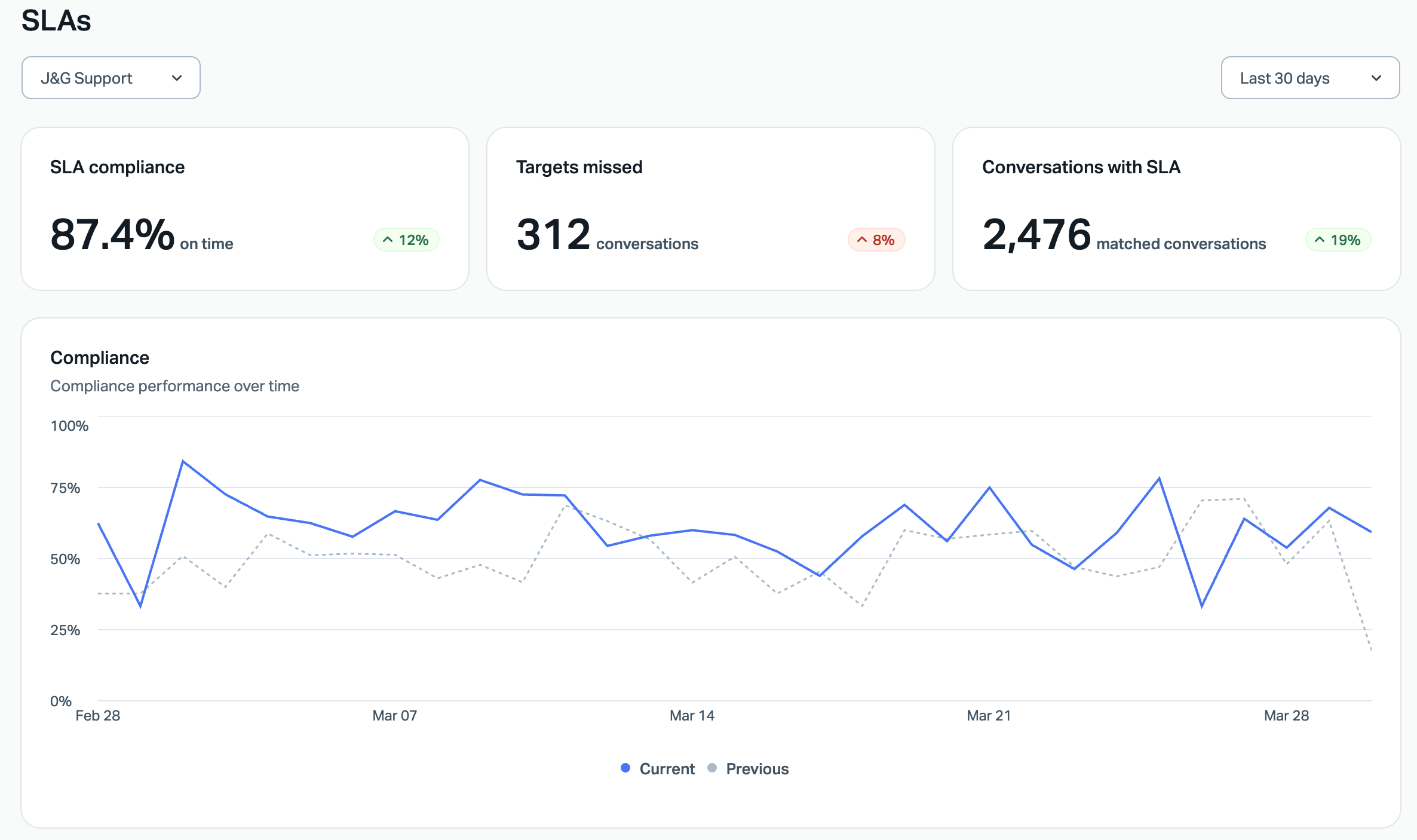
Report Overview
Are we meeting our SLA targets?
The SLA Compliance card answers that at a glance — showing the percentage of matched conversations that were handled on time in the selected period, along with a comparison to the previous period so you can see whether things are trending up or down.
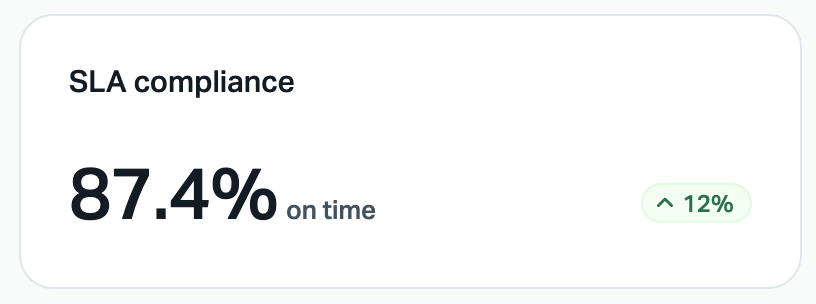
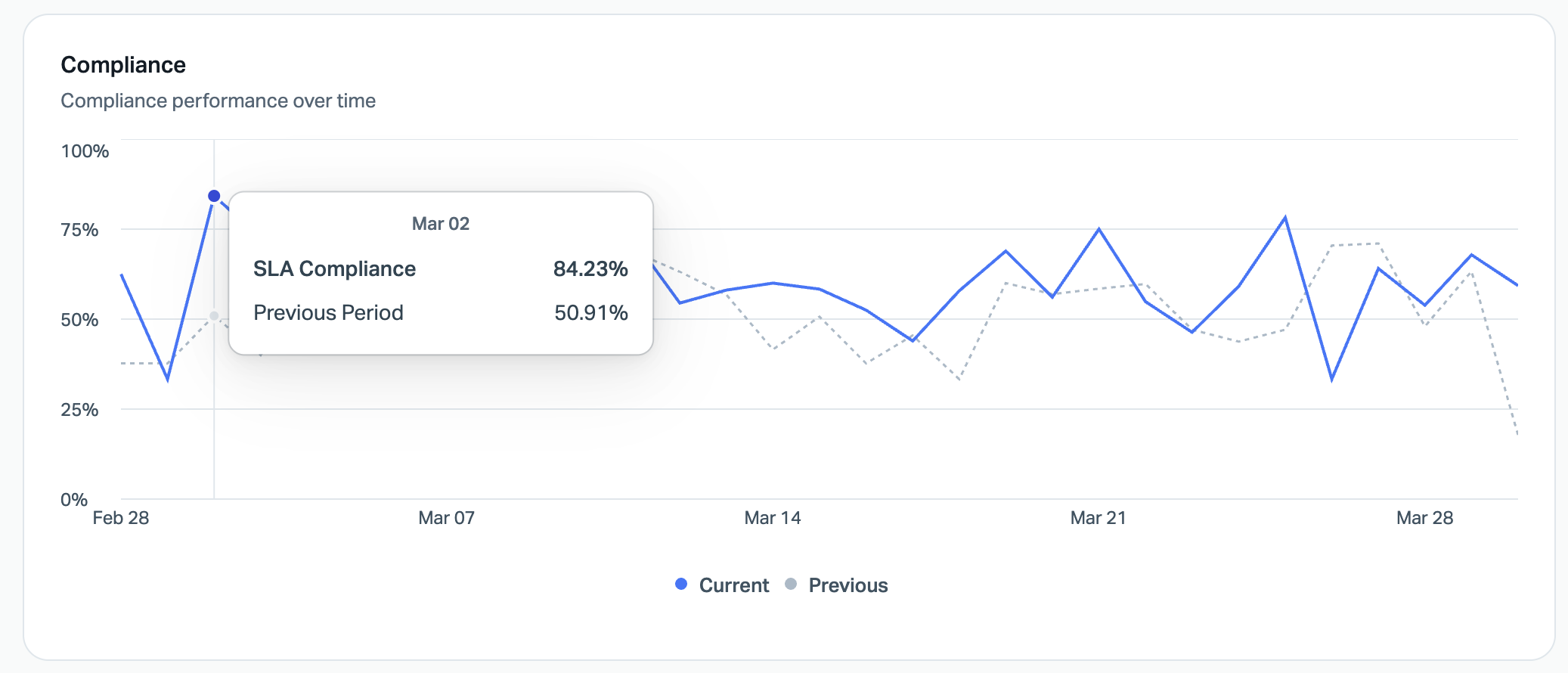
How is compliance trending over time?
The Compliance graph plots your compliance rate day by day across the selected date range, with a dotted line showing the previous period for comparison. If you notice a dip around a particular date, it's worth cross-referencing with staffing levels, ticket volume spikes, or changes to your policy configuration.
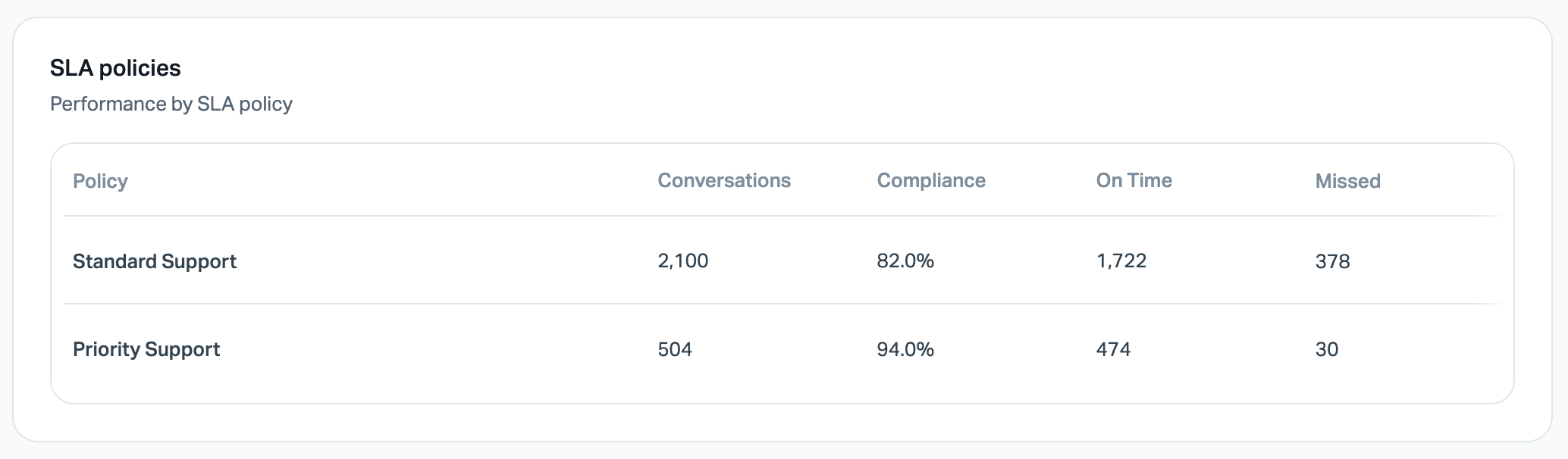
Which policies are struggling?
The SLA policies table breaks down performance by each policy — showing total conversations matched, compliance rate, on-time count, and missed count. This is where you'll spot which policies are underperforming so you can adjust targets, staffing, or routing.
Metric Definitions
SLA Compliance
The percentage of conversations where all SLA targets were met on time. This calculation includes all fully evaluated conversations and any partially evaluated conversations that already have at least one confirmed miss. Conversations that are still in progress with no breach yet are excluded from the compliance calculation entirely.
Targets Missed
The number of conversations where at least one SLA target was breached. This includes conversations that haven't been fully evaluated yet. A conversation counts once regardless of how many individual targets were missed.
Conversations with SLA
The total number of conversations created in the selected period that have been matched to an SLA policy and have at least one target computed. Conversations started by a Help Scout user with no customer reply are excluded until a customer reply is received.
On Time
The number of conversations for that policy where all applicable SLA targets were met.
Missed
The number of conversations for that policy where at least one SLA target was missed.