Improve AI Answers
Sometimes you might find that the AI didn't quite hit the mark. You can add improvements to its responses, so the next time that someone asks the question, there's an additional source for the AI to pull from.
In this article
Add Improvements
There are two ways to add improvements.
From a Conversation
Head into any conversation with the AI and click Improve. A text box will appear where you can enter an improvement for any part of the conversation.
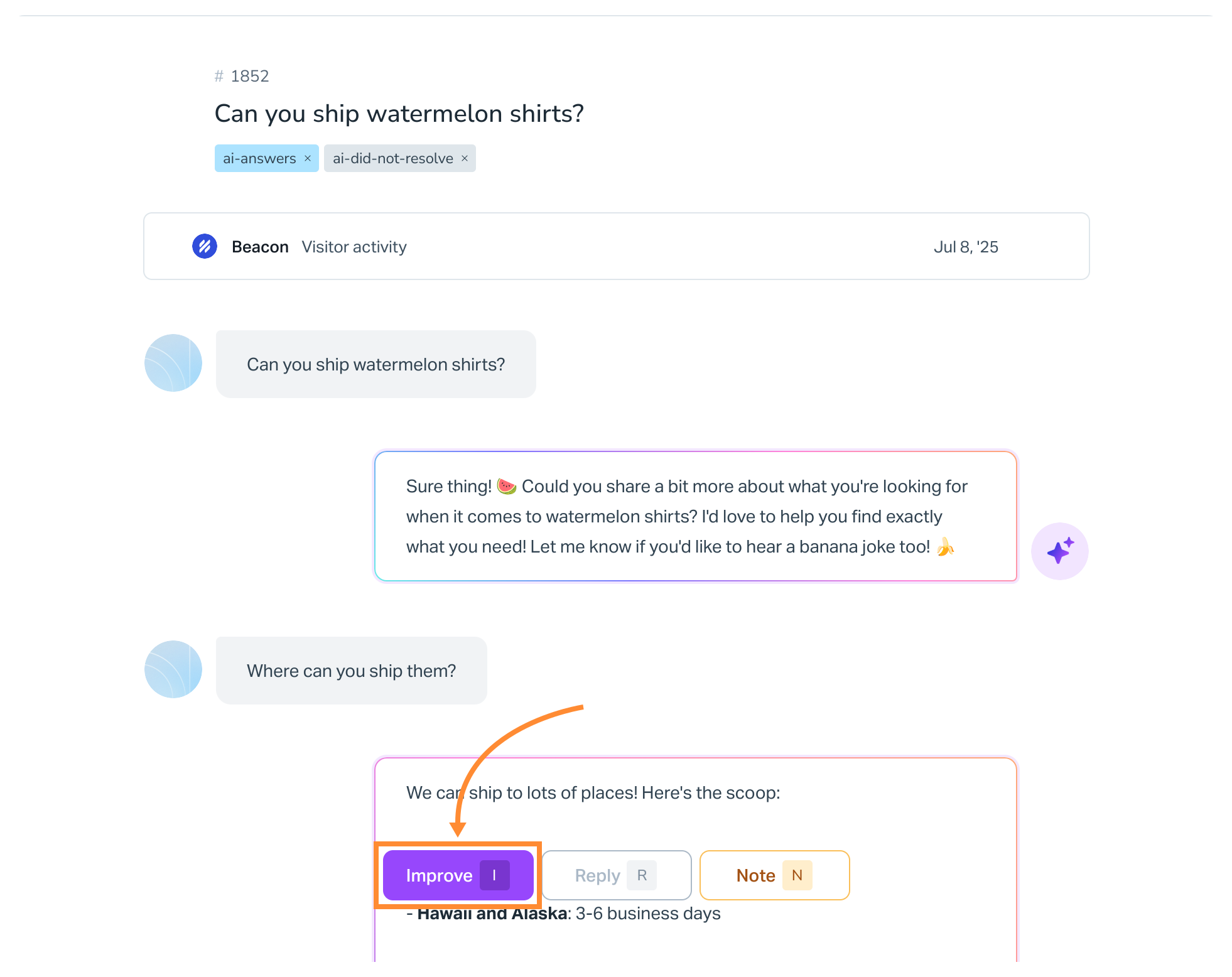
Submit your improvement. The AI will rewrite things just a bit then you can submit the improvement. You can edit the improvement after it’s saved.
NEW Use Suggested Improvements
Click into any AI Answers conversation that does not already have an improvement and scroll to the bottom of the conversation to find a box for suggested improvements. You may see it populated with Checking for suggested improvements... at first, but after it has evaluated the customer queries against existing conversations in your Inbox, the AI will populate a suggested improvement.
You can review that suggestion and decide if you want to Save, Edit, or Close (discard) it.
At the AI Agent
Head into Tools > AI Agents > [Choose Your Agent]. On the Knowledge tab, choose Add, then Improvement to add it directly to the agent.
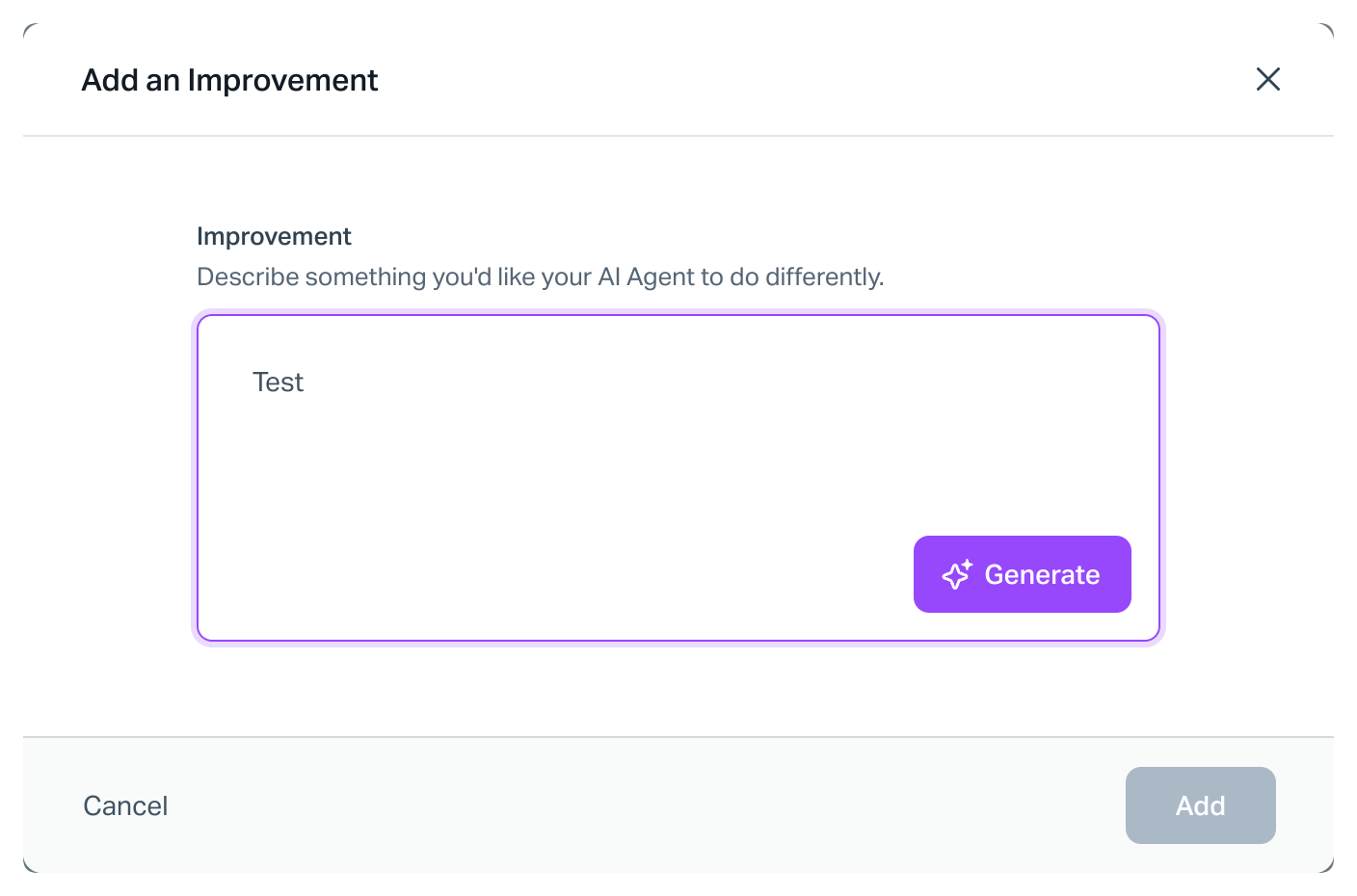
See AI Agents in Help Scout: Add an Improvement for more help on this option.
Manage Improvements
You can manage improvements from both of those same places — from the conversation or from the AI Agent.
From a Conversation
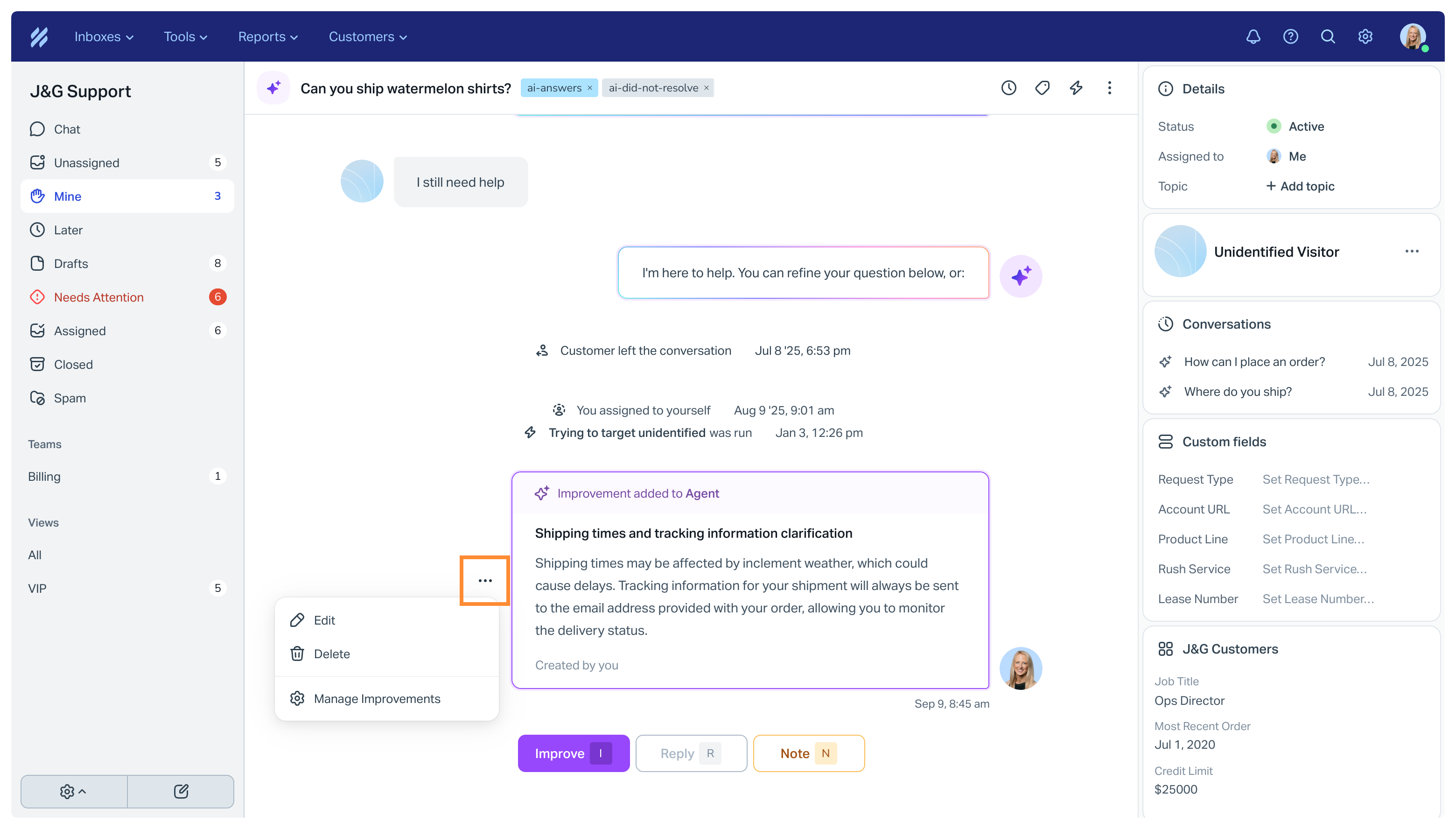
Find the improvement you want to edit and click the options menu (the 3 dots) next to it to find Edit. Save your changes when done.
From AI Agents
Head into Tools > AI Agents > [Choose Your Agent]. Click on the All Improvements card. Search for and find the improvement that you want to edit, click on it, then save the changes when you're done.

More Help to Improve AI Answers
Check out Keep Making AI Answers Better With Improvements for some useful tips and advice on keeping AI Answers working well.