Cancel Your Help Scout Account
We're sorry to see you go! Only the Account Owner can cancel the account, and if you're sure you want to cancel, please remember that there's no turning back — the account will be terminated immediately.
As soon as you click Permanently Delete My Account, your account will be inaccessible.
Make sure to export your data before canceling. All account data will be permanently deleted 60 days after the account is canceled.
-
Click your avatar or initials in the right corner of the right corner of the top navigation menu, then select Your Plan.
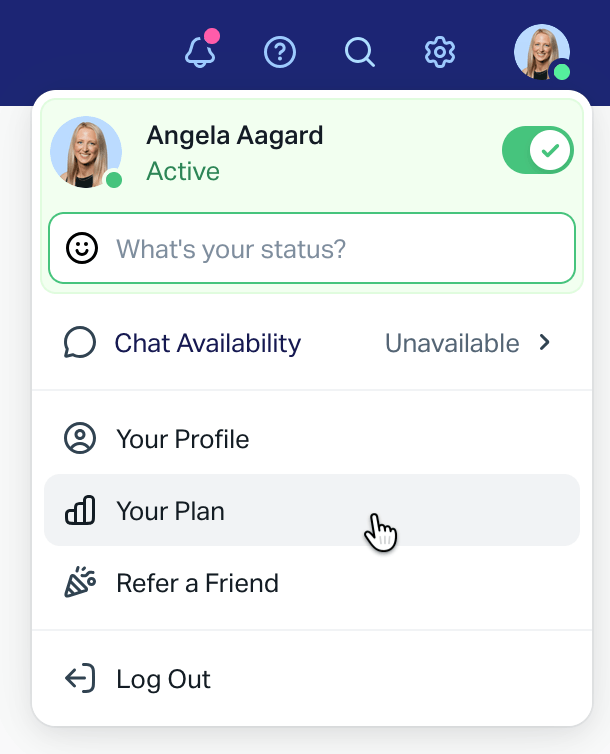
2. Scroll down and click the red Delete account link at the bottom of the page.

If you do not see the Delete account link on this page, scroll back to the top and look for the link to Manage your plan, then on that page scroll down to find Delete account.

3. Choose the reason you're canceling your account, then click Permanently Delete My Account to immediately cancel your account.
🚨 Your account is not canceled until you click Permanently Delete My Account on this screen.

Remember: your account will be completely inaccessible as soon as you click this button, so you want to make sure you've saved any data you want from the account before you click!